GPU Rendering Benchmarks 2026: Choosing the Right Hardware for Cycles and Octane
The New Baseline: 32GB is the Professional Standard
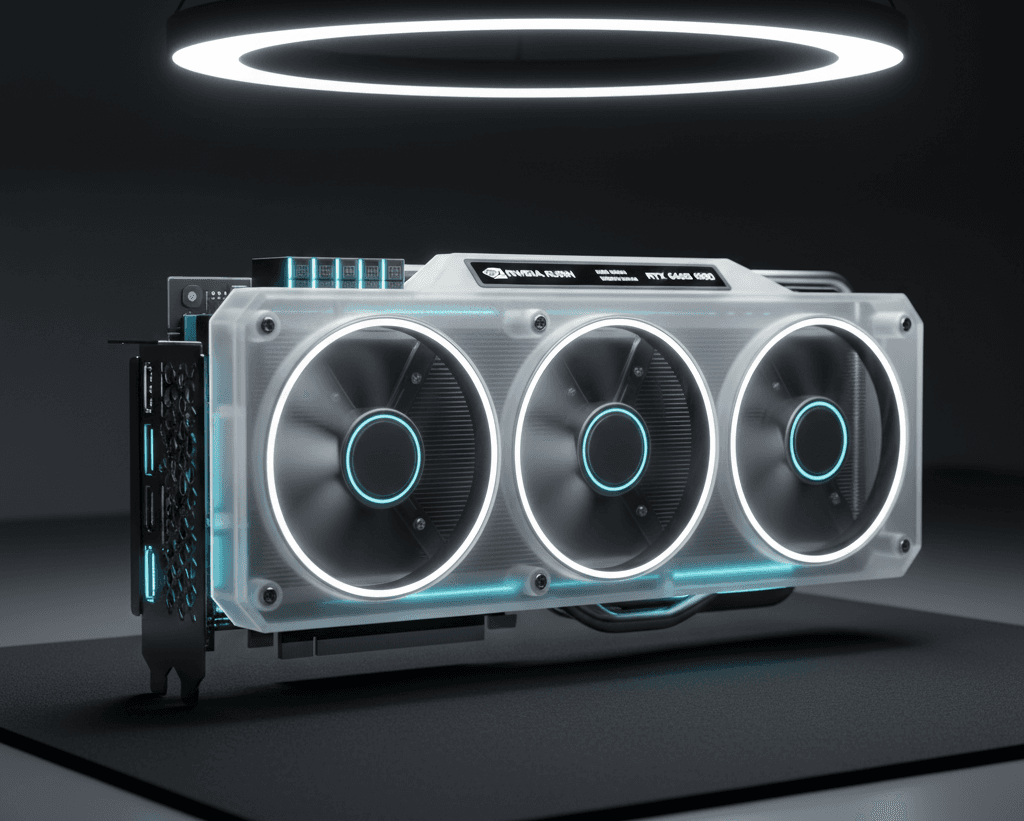
For years, 24GB was the ceiling for consumer hardware. In 2026, the arrival of the RTX 5090 and its 32GB of GDDR7 VRAM has shifted the goalposts. For product visualizers and environment artists, this 8GB jump is the difference between a smooth viewport experience and a "System RAM swap" crawl.
1. NVIDIA Blackwell (RTX 50-Series) Benchmarks
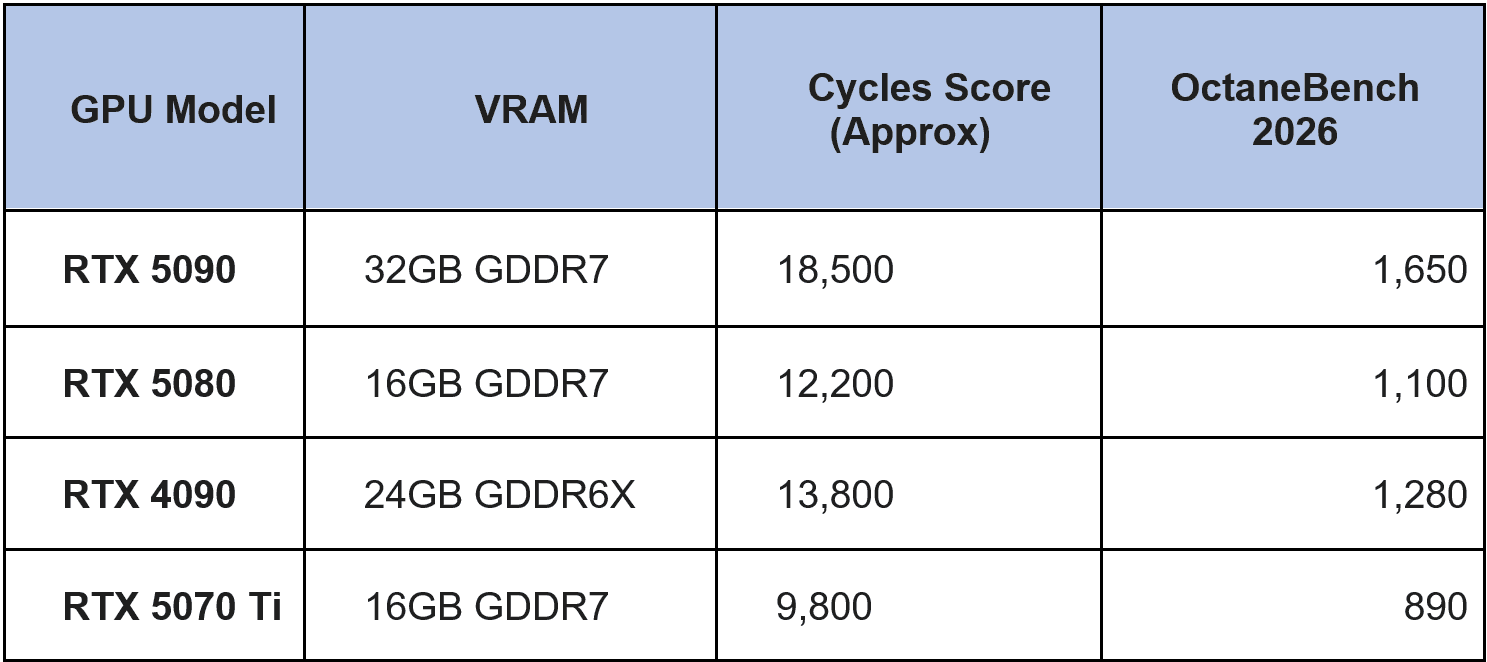
The Blackwell architecture has proven to be a monstrous leap for Cycles and Octane. Initial tests show the RTX 5090 outperforming the previous king, the RTX 4090, by roughly 35–45% in raw render speed.
- Cycles (Blender 4.3+): Blackwell’s new "Mega Geometry" acceleration cores allow for faster traversal of dense meshes, which is a massive boon for CAD-heavy workflows.
- OctaneRender 2026.1: Octane remains the most optimized engine for NVIDIA. It scales almost linearly in multi-GPU setups. A dual RTX 5090 rig is currently the "holy grail" for indie studios, providing 64GB of pooled memory (via NVLink-C2C equivalents) and render times that rival small render farms.
2. The "VRAM Crunch": Why You Need More Memory
The reason we are seeing such a push for 32GB+ isn't just "unoptimized scenes." It is the tools we use:
- Neural Texture Compression (NTC): While Blackwell’s NTC can shrink textures by up to 90%, the initial loading and AI-upscaling during the look-dev phase require significant overhead.
- Real-time Path Tracing: Eevee Next and Octane’s real-time viewport now use path-tracing techniques that previously were reserved for final renders, eating up buffers that would have been empty five years ago.
Choosing the Right Tier for Your Workflow
The High-End Freelancer (Budget: $2,000+)
- Recommendation: RTX 5090 (32GB)
- Why: It is the only consumer card that handles 8K texture sets and massive environment scans without hitting "Out of Memory" errors. If you do any AI-assisted rendering or simulation, the 32GB is non-negotiable.
The Mid-Range Specialist (Budget: $800–$1,200)
- Recommendation: RTX 5080 (16GB) or RTX 4090 (Used/Refurbished)
- Why: The RTX 5080 is incredibly fast but hamstrung by its 16GB VRAM. If your work involves heavy scene assembly, a used RTX 4090 with its 24GB may actually be a better value for production stability.
The Budget/Entry Level (Budget: Under $600)
- Recommendation: RTX 5070 (12GB) or AMD RX 7900 XTX (24GB)
- Why: While Cycles supports AMD via HIP, Octane users must stay with NVIDIA. However, the 24GB on the 7900 XTX is an incredible value for Blender-only users who prioritize scene scale over raw ray-tracing speed.
Looking Ahead: The Rubin Architecture
Announced at CES 2026, the NVIDIA Rubin architecture is looming. While not expected for consumer release until late 2026 or early 2027, it promises a transition to HBM4 memory. For those on 30-series or 40-series cards, the Blackwell (50-series) is a worthy upgrade, but if you own a 4090, you may find enough performance headroom to wait for the "Rubin Revolution."