Blender as a Central Hub: Integrating CAD, Substance, and Game Engines Without Workflow Friction

Why Blender Has Become a Pipeline Hub
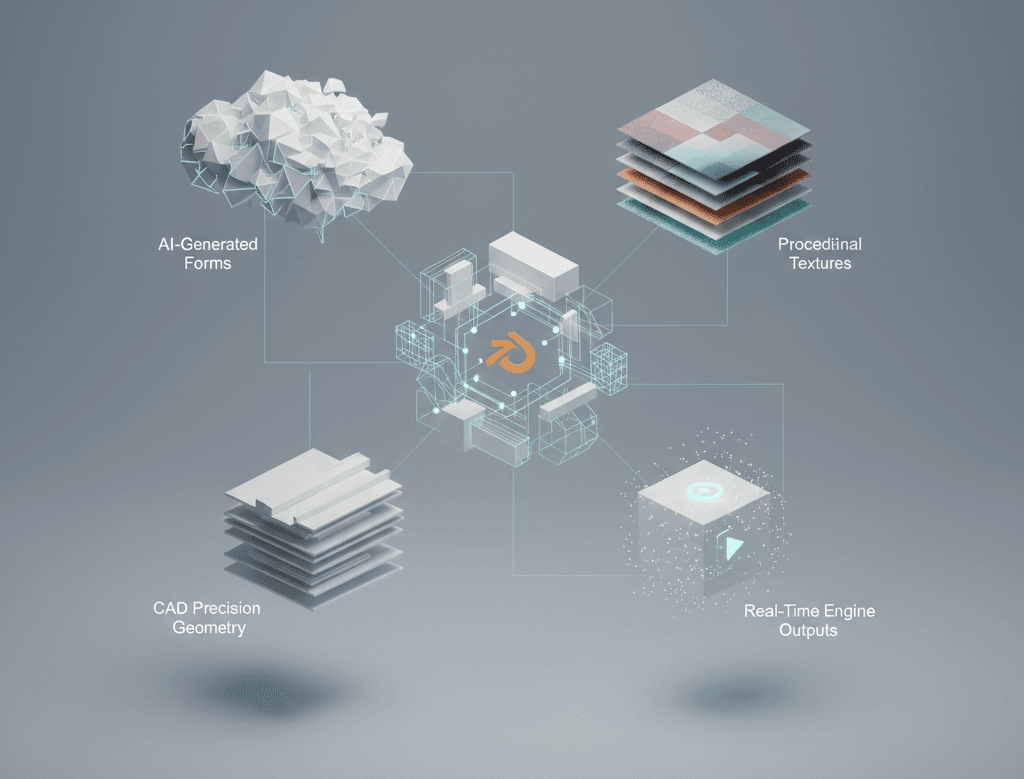
Blender is no longer used only as a modeling or rendering tool. In many production environments, it acts as the glue between specialized software.
Studios and freelancers alike rely on Blender’s strong import and export support, non-destructive workflows, and flexible scene management. Instead of forcing one tool to do everything, Blender connects CAD geometry, texture authoring, and real-time deployment into a single controllable space.
This approach reduces friction, especially when assets need to move across multiple outputs like stills, animation, and interactive experiences.
Bringing CAD Data Into Blender Without Breaking It
CAD data is essential for product visualization, but it is rarely ready for rendering or real-time use out of the box.
Most Blender-centered pipelines start by importing STEP, IGES, or native CAD exports using dedicated conversion tools or intermediary formats. Once inside Blender, the focus shifts to cleanup rather than remodeling.
Common steps include:
- Rebuilding topology where shading quality matters
- Merging and naming parts logically
- Separating render-critical surfaces from internal geometry
- Applying consistent scale and unit settings
Blender’s modifiers and mesh tools make it easier to iterate without damaging the original CAD structure. The goal is not perfection, but predictable, clean geometry that downstream tools can handle.
Texture Authoring With Substance as a Companion Tool
Blender’s material system is powerful, but many artists still rely on Substance 3D Painter for texture authoring, especially when working with complex materials or large asset libraries.
In a Blender-centered workflow, Blender typically handles:
- UV layout and packing
- Material slot organization
- Test shading and look development
Substance Painter then takes over for:
- Smart material application
- Edge wear and surface variation
- Texture set consistency across assets
Once textures are authored, they are brought back into Blender using standardized PBR workflows. Maintaining consistent naming conventions and texture resolutions is critical to avoid confusion as assets move toward final rendering or real-time use.
Preparing Assets for Game Engines
When assets are destined for Unreal Engine or Unity, Blender often becomes the optimization checkpoint.
This stage usually includes:
- Applying transforms and freezing scale
- Reducing geometry where possible
- Verifying normal map orientation
- Splitting assets into engine-friendly components
Blender’s export tools allow artists to tailor FBX or glTF exports depending on engine requirements. Many artists maintain separate Blender scenes or collections specifically for engine-ready assets, keeping high-detail versions intact for offline rendering.
This separation prevents accidental compromises in visual quality while supporting performance constraints.
One Asset, Multiple Outputs
A major advantage of using Blender as a hub is output flexibility. The same core asset can feed multiple pipelines with minimal duplication.
For example:
- A high-detail Blender scene feeds Cycles for marketing stills
- The same geometry, simplified through collections or modifiers, is exported to Unreal Engine for real-time use
- Texture sets from Substance remain consistent across both
This approach reduces asset drift, where different versions slowly become incompatible. Blender’s scene organization tools play a major role in keeping everything aligned.
Managing Scale and Consistency Across Tools
Cross-software workflows often fail due to small technical mismatches rather than major errors.
Successful Blender-centered pipelines pay close attention to:
- Unit scale consistency between CAD, Blender, and engines
- Tangent space and normal map standards
- Color management and texture color spaces
- Naming conventions that survive exports
Blender’s flexibility makes it easy to accommodate different standards, but that flexibility requires discipline. Artists who treat Blender as a structured hub rather than a sandbox tend to experience fewer downstream issues.
When Blender Should Not Do Everything
Despite its versatility, Blender is not always the best tool for every task.
Dedicated CAD software still excels at parametric changes. Substance tools remain faster for texture iteration. Game engines handle interaction and optimization better than DCC tools.
The strength of a Blender-centered workflow lies in knowing when to hand off tasks, not in forcing Blender to replace specialized software.
Building a Sustainable Cross-Software Pipeline
Modern production pipelines are less about mastering a single application and more about managing transitions between them.
Blender works well as a central hub because it is adaptable, transparent, and well-supported. When combined thoughtfully with CAD tools, Substance, and game engines, it enables workflows that are both flexible and production-ready.
For artists and studios working across multiple deliverables, this approach offers control without unnecessary complexity.